Your PDF Left Your Office Without a Watermark. Here's How to Fix That Without Uploading It Anywhere.
By N3ST3D LABS · freeapptools.co
Contracts, proposals, internal reports, draft decks — PDFs leave your hands dozens of times a week. Most of them go out clean, with no indication they're confidential, not for distribution, or still in draft. By the time you realize you needed a watermark, the file is already in someone's inbox.
Most watermarking tools want you to upload the file to their server. You hand over a confidential contract to a random third-party CDN, hope they delete it, and get back a watermarked PDF. For sensitive documents that's a bad trade.
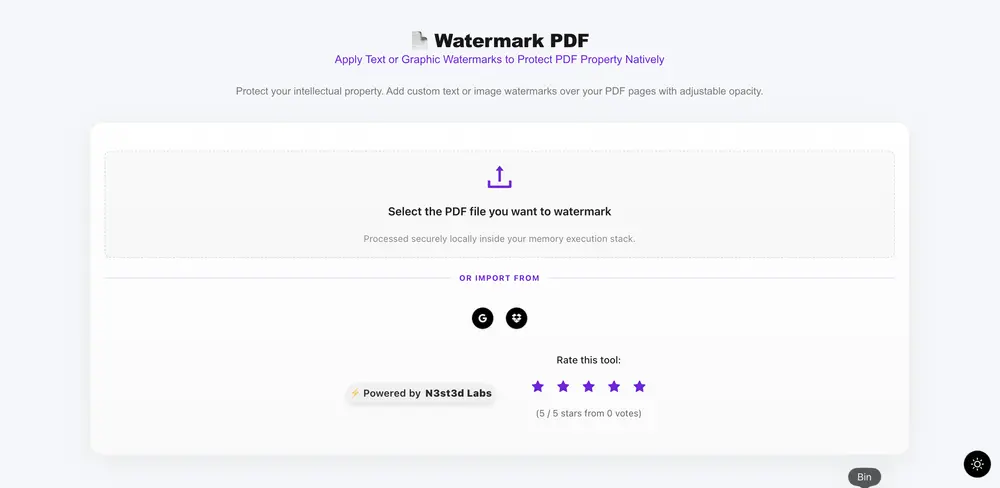
Our PDF Watermark tool runs entirely in your browser. The file never leaves your machine. You pick your watermark, configure it, and download — all processed locally using pdf-lib.
What "Browser-Side Watermarking" Actually Means
When you upload a file to most online watermark tools, the processing happens on a server you don't control. Your PDF travels over the network, gets modified, and comes back. For confidential business documents, NDAs, legal briefs, or anything with sensitive data, that's a meaningful privacy risk you're taking silently every time.
Browser-side processing is different. The tool uses pdf-lib — a JavaScript library that runs entirely inside your tab — to embed the watermark directly into the PDF's binary structure on your device. No outbound requests.
No server processing. The file never leaves browser memory.
You can verify this yourself: open your browser's network tab, upload a file, apply a watermark, and download. Zero requests carrying your document to any external service.
Two Watermark Types — What Each One Does
The tool gives you two distinct watermarking modes, each serving a different use case.
Text Watermark renders a configurable text string directly into each page's content stream. You control the text, font size (16px to 120px), color (full hex picker), opacity (10% to 100%), rotation angle (0° to 360°), and placement position. The classic use case is CONFIDENTIAL stamped at 45° across the center — but it handles anything from DRAFT to DO NOT DISTRIBUTE to your company name as a subtle branding mark.
Logo Image Watermark embeds a PNG or JPG directly into each page. PNG files preserve transparency, which matters if you want a clean logo overlay without a white box behind it. The scale slider controls what percentage of the page width the logo occupies (10% to 100%), giving you everything from a subtle corner stamp to a full-page watermark overlay.
Both modes share the same placement grid: Centered Matrix, Top-Left, Top-Right, Bottom-Left, and Bottom-Right. Corner placements render the watermark straight. Center placement applies your rotation angle.
The Live Preview Layer
Before you download anything, the tool renders thumbnail previews of your first six pages with the watermark simulated in real time using CSS transforms. Change the text, adjust opacity, rotate it, shift the placement — the preview updates instantly without reprocessing the PDF.
This matters because what looks right in a preview rarely matches a blind guess. A 48px font that looks clean at 30% opacity on a text-heavy legal document might be nearly invisible on a dark cover page. The preview gives you the feedback loop to dial it in before committing.
How to Watermark a PDF — Step by Step
- Drop your PDF onto the upload zone or import from cloud storage.
- Wait for the page thumbnails to render — the tool loads previews of your first six pages.
- Choose Text Watermark or Logo Image Watermark.
- Configure your watermark: text content, size, color, opacity, rotation, and placement.
- Watch the live preview update across all page thumbnails.
- Click Generate & Download PDF — the watermarked file downloads directly to your device.
The output is a structurally valid PDF with the watermark embedded into each page's content layer. Text, fonts, form fields, and existing graphics in the original document are preserved intact.
Common Questions
Will the watermark affect the original text or content on the pages?
No. The watermark is drawn as a new layer on top of each page's existing content stream. pdf-lib copies your original page contents and adds the watermark as an additional drawing operation. Whatever was in the original PDF — selectable text, embedded fonts, vector graphics, images — stays exactly as it was. Only the visual layer changes.
The one exception worth knowing: if your source PDF is a flat scanned image (no text layer), the pages are already rasterized images. The watermark still gets embedded correctly, but since there was no text layer to begin with, that doesn't change.
Can I watermark a PDF with a transparent logo?
Yes — and the transparency is properly handled. When you upload a PNG logo, the tool uses pdf-lib's embedPng method, which preserves the alpha channel. Your logo renders with its transparent background intact, so you get a clean overlay without a white or black box behind the image.
JPG files don't support transparency by design — if you upload a JPG logo, it will render with its background color visible. For clean logo watermarks, use PNG format.
Placement and Rotation Logic
One design decision worth explaining: rotation only applies when the placement is set to Centered Matrix. Corner placements (Top-Left, Top-Right, Bottom-Left, Bottom-Right) always render the watermark straight, regardless of the rotation slider setting.
This is intentional. A rotated watermark in a corner reads as a design mistake. A rotated watermark across the center of a page reads as a deliberate stamp — the classic CONFIDENTIAL diagonal everyone recognizes. The tool makes the opinionated choice to keep corners clean and let center placement own the rotation behavior.
When This Tool Is the Right Choice
Use it when you're sending a contract draft that shouldn't be treated as final, distributing an internal report outside your organization, sharing a proposal you don't want redistributed, or branding outbound PDFs with your logo before sending to clients.
Don't use it as a security measure that prevents determined recipients from removing the watermark. Watermarks embedded this way are visible deterrents and attribution markers — they're not cryptographic protection. A determined person with the right tools can remove a pdf-lib watermark. For genuine document security, you want PDF password protection or DRM, which are different tools entirely.
This tool is for the 99% of cases where you need a clear, professional watermark fast, without uploading sensitive files to a third-party server.
Try the PDF Watermark tool at freeapptools.co. No account, no upload, no watermark on the watermarker.
Published on Nektr Blogs · n3st3dlabs.hashnode.dev · Built by N3ST3D LABS


