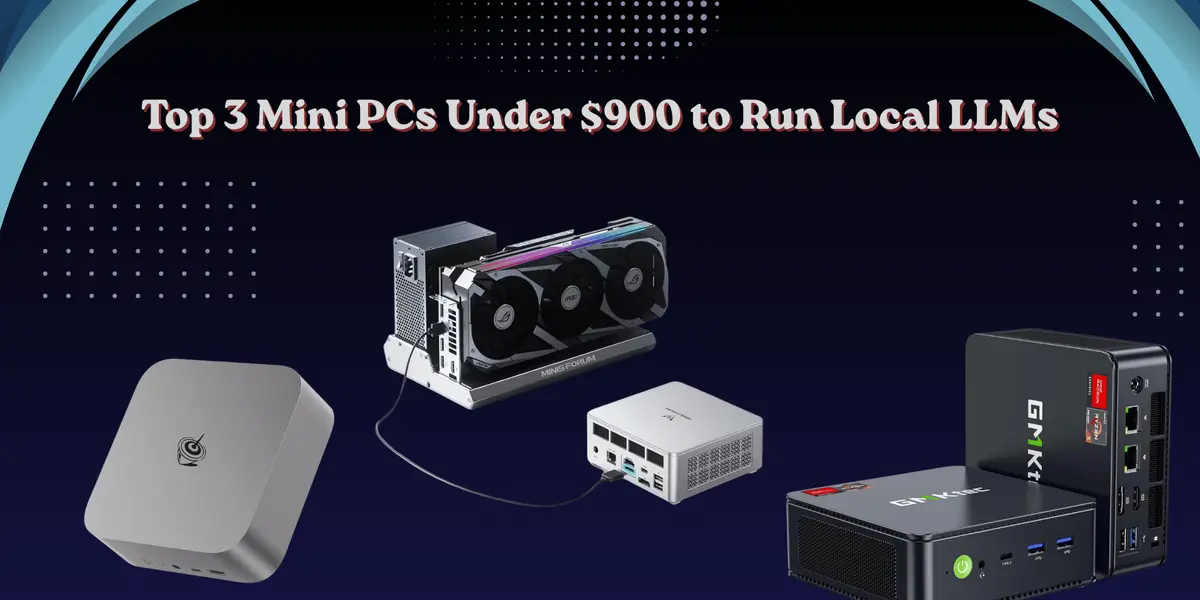
Local AI inference used to require a beefy desktop tower, a high-end GPU, and a hefty electricity bill. That era is over. In 2026, a palm-sized mini PC sitting quietly on your desk can run meaningful large language models completely offline — no cloud, no subscription, no data leaving your network. But before diving into the hardware, let's answer the questions most people ask first.
Q: Can I really run an LLM on a mini PC under $900?
A: Yes — absolutely. Modern mini PCs with AMD Ryzen 7 or 8 processors and 32 GB of DDR5 RAM can run quantized 7B to 13B models at a perfectly usable 10–25 tokens per second using tools like Ollama or LM Studio. That's real, productive speed for chat, coding assistance, and summarization tasks.
Q: Do I need a dedicated GPU to run local LLMs?
A: Not at this price tier. Mini PCs in the $400–$900 range rely on CPU inference and their integrated GPU via AMD's Radeon 780M. Your system RAM acts as shared VRAM — 32 GB gives you a large model memory pool that no discrete card at this price can match.
Q: Which LLMs actually run well on mini PC hardware?
A: Models in the 7B–13B parameter range at Q4 quantization are the sweet spot — specifically Llama 3.1 8B, Mistral 7B, Phi-3 Mini, DeepSeek-R1 7B, and Qwen3 7B. With 32 GB of RAM you can push into 13B territory. Models beyond 30B require 64 GB or more.
Q: What software do I need to install and run these models?
A: Ollama is the simplest and most battle-tested solution — a single command installs it and a second command pulls any model you want. LM Studio offers a GUI alternative. Both run on Windows, macOS, and Linux with zero configuration needed on day one.
With those foundations set, here are the three best mini PCs under $800 for running local LLMs in 2026, ranked by performance, value, and upgrade potential.
Pick 01 — Beelink SER8 (~$639) · Best Overall
The Beelink SER8 is the consensus pick among the local AI community in 2026. Its Ryzen 7 8845HS pairs the Zen 4 architecture with a Radeon 780M integrated GPU that has 12 RDNA3 compute units — and because your 32 GB of DDR5-5600 acts as shared VRAM, Ollama can offload a significant portion of a 7B model's layers to the iGPU, pushing generation speeds to 18–25 tokens per second on Llama 3.1 8B. That is real, productive speed for single-user development, writing, and research work.
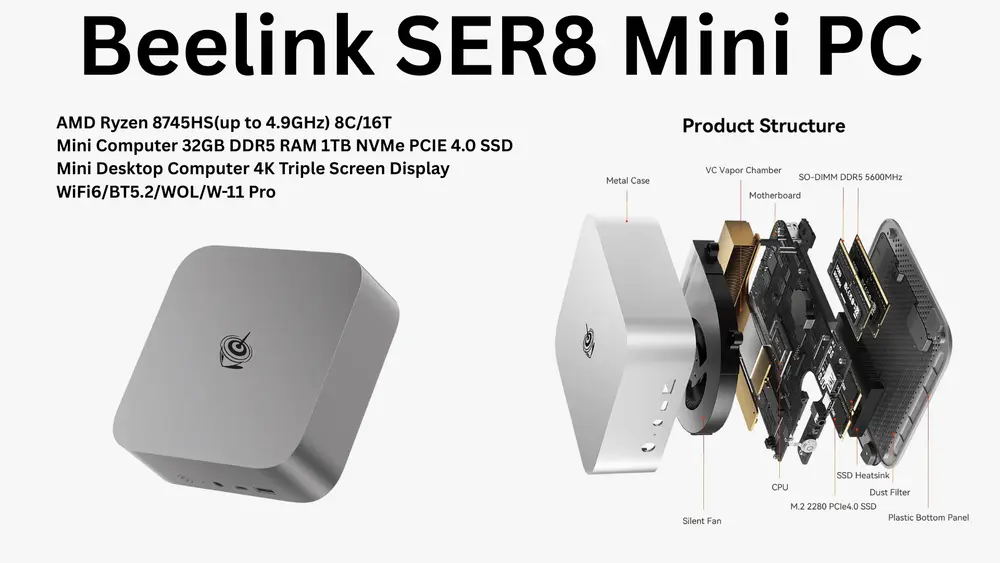
Specs at a glance: AMD Ryzen 7 8845HS, 32 GB DDR5-5600, 1 TB PCIe 4.0 SSD, Radeon 780M iGPU, ~9 W idle power draw, upgradeable to 64 GB RAM.
The SER8 idles at a whisper-quiet 9 W and fits in a jacket pocket. The SO-DIMM slots are user-accessible, meaning you can upgrade to 64 GB later when DDR5 prices ease — giving you a clear path to running 34B models without buying new hardware. It clocks in around 36–39 dBA under load, audible but not distracting at a normal typing distance.
LLMs it runs well: Llama 3.1 8B, Mistral 7B, Phi-3 Mini, DeepSeek-R1 7B, Qwen3 7B. With the 64 GB RAM upgrade: CodeLlama 34B and DeepSeek-Coder 33B become genuinely usable.
Pick 02 — Minisforum UM880 Plus (~$699) · Best for Upgraders
The UM880 Plus runs the same AMD Ryzen 7 8845HS chip and Radeon 780M iGPU as the SER8, delivering essentially identical LLM inference performance at stock configuration — around 20 tokens per second on Llama 3.1 8B. What sets it apart is connectivity and future-proofing.
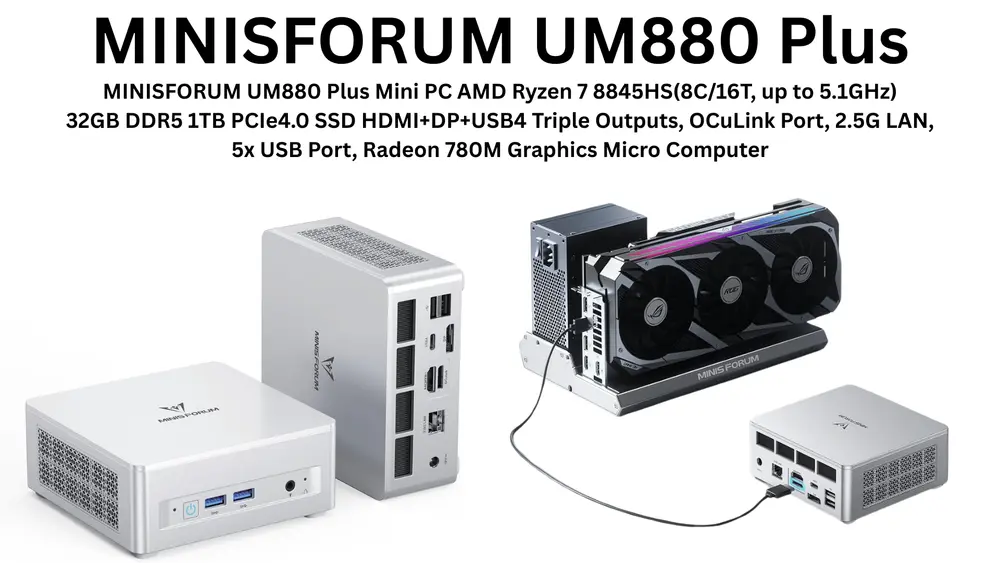
Specs at a glance: AMD Ryzen 7 8845HS, 32 GB DDR5, 1 TB PCIe 4.0 SSD, Radeon 780M iGPU, OCuLink port, USB4, dual 2.5 Gigabit Ethernet, triple display output (HDMI 2.1 + DisplayPort + USB4), upgradeable to 96 GB RAM.
The defining feature is the OCuLink port — a native high-bandwidth connection for an external GPU enclosure that completely bypasses USB4's bandwidth penalty. Attach an RTX 4070 eGPU down the line and you're suddenly running 70B models at real speed. No other mini PC in this price class offers that upgrade path. Dual 2.5 GbE also makes it the better choice for anyone who wants to run this machine as a home AI server accessible from multiple devices on their network. The RAM ceiling of 96 GB is the widest of any mini PC under $800.
LLMs it runs well: Llama 3.1 8B, Mistral 7B, CodeLlama 13B, DeepSeek-R1 7B. With 64 GB upgrade: 30B–34B models at Q4 quantization become feasible.
Pick 03 — GMKtec NucBox K6 (~$399) · Best Budget
The NucBox K6 is the gateway to local AI on a tight budget. It runs an AMD Ryzen 5 5600U with Radeon Vega 7 integrated graphics and 16 GB of DDR4 RAM. That combination won't win benchmarks — Llama 3 8B runs at 6–9 tokens per second via CPU inference only — but it is completely usable for personal chat, document summarization, and overnight batch processing tasks.
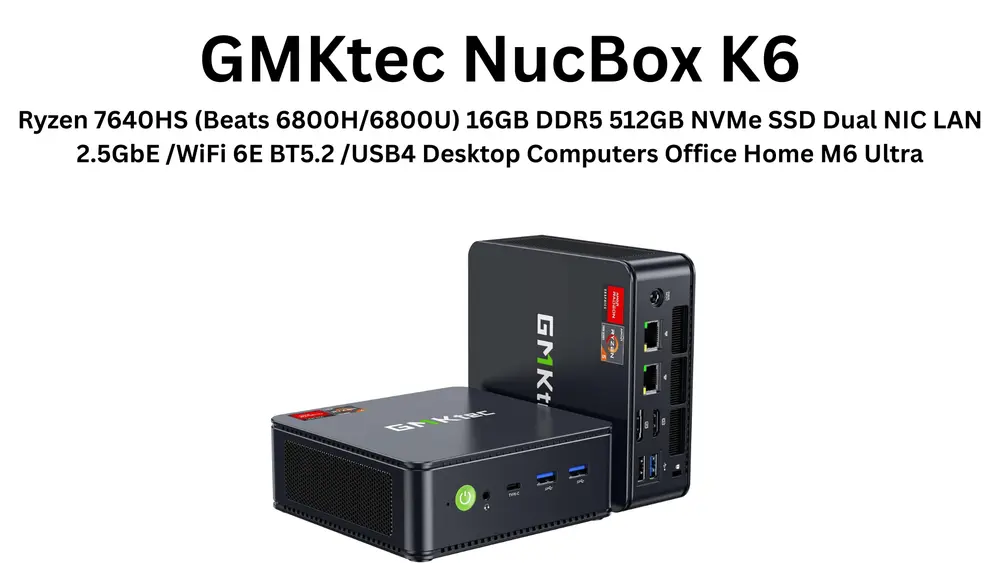
Specs at a glance: AMD Ryzen 5 5600U, 16 GB DDR4, 512 GB SSD, Radeon Vega 7 iGPU, ~6 W idle, ~36 dBA under load (the quietest of the three).
The real argument for the K6 is power draw. At just 6 W at idle, running it as a 24/7 always-on inference server costs roughly $3–5 per month in electricity. For developers who want to experiment without a big commitment, or anyone building a lightweight home automation AI agent that doesn't need blazing speed, this is the most honest starting point. Models beyond 13B are not recommended — 16 GB of DDR4 simply doesn't have the headroom.
LLMs it runs well: Phi-3 Mini (best choice for this hardware), Llama 3 8B at Q4 (slow but functional), Mistral 7B at Q4 (slow but functional).
How to Download and Install an LLM
The easiest path to running a local LLM on any of these mini PCs is Ollama — a free, open-source runtime that handles model downloads, quantization, and inference in a single lightweight package. Here is the full setup from zero to chatting with a local model.
Step 1 — Install Ollama
Head to ollama.com and download the installer for your OS. On Linux, which is recommended for mini PCs, run the one-line install script directly in your terminal:
curl -fsSL https://ollama.com/install.sh | sh
On Windows, download the .exe installer from ollama.com/download. On macOS, download the .dmg or run: brew install ollama. Ollama installs as a background service that listens on localhost:11434 by default.
Step 2 — Pull Your First Model
Open a terminal and pull a model from Ollama's library. Start with Llama 3.1 8B — it's the best general-purpose model for this hardware class:
ollama pull llama3.1:8b
Other great models to try:
ollama pull mistral:7b
ollama pull phi3:mini
ollama pull qwen3:7b
ollama pull deepseek-r1:7b
Each model download is 4–6 GB depending on quantization. Your internet connection is the only bottleneck.
Step 3 — Start Chatting
Once the model is pulled, run it directly in your terminal:
ollama run llama3.1:8b
You'll see a prompt appear: >>> Send a message. Type any message and hit Enter. You are now running a fully offline, fully private LLM on your mini PC.
Step 4 — Add a Web UI (Optional)
For a browser-based ChatGPT-style interface instead of the terminal, install Open WebUI via Docker:
docker run -d -p 3000:8080 \
  -v open-webui:/app/backend/data \
  -e OLLAMA_BASE_URL=http://host.docker.internal:11434 \
  --name open-webui \
  ghcr.io/open-webui/open-webui:main
Then open http://localhost:3000 in your browser. Open WebUI gives you full conversation history, model switching, system prompts, and a clean interface — all running 100% locally on your mini PC.
Step 5 — Enable AMD iGPU Offloading (Beelink SER8 & UM880 Plus)
To push iGPU acceleration on AMD hardware and unlock the faster token speeds, set this environment variable when running Ollama on Linux:
OLLAMA_NUM_GPU=1 ollama run llama3.1:8b
To make it permanent, add Environment="OLLAMA_NUM_GPU=1" to your Ollama systemd service file, then run sudo systemctl daemon-reload && sudo systemctl restart ollama.
The Bottom Line
The mini PC market in 2026 has quietly become the most practical and affordable on-ramp to private, local AI. A $639 Beelink SER8 runs the same Llama 3.1 8B model that required a $2,000 GPU rig just two years ago — in a device smaller than a hardcover book, drawing less power than a phone charger.
If you want one recommendation: buy the Beelink SER8 with 32 GB, install Ollama, and run Llama 3.1 8B. You'll be up and running with a fully local, private AI assistant in under 10 minutes. If you anticipate future GPU expansion or want a home AI server, step up to the Minisforum UM880 Plus for its OCuLink port. And if budget is the primary constraint, the GMKtec NucBox K6 proves that $399 is enough to get started with local LLMs today.
The era of paying for every API call, waiting on cloud latency, and worrying about your data is optional now. Local AI is real, affordable, and runs on hardware you can hold in one hand.
N3ST3D LABS · blogs.nektr.co · May 2026


